


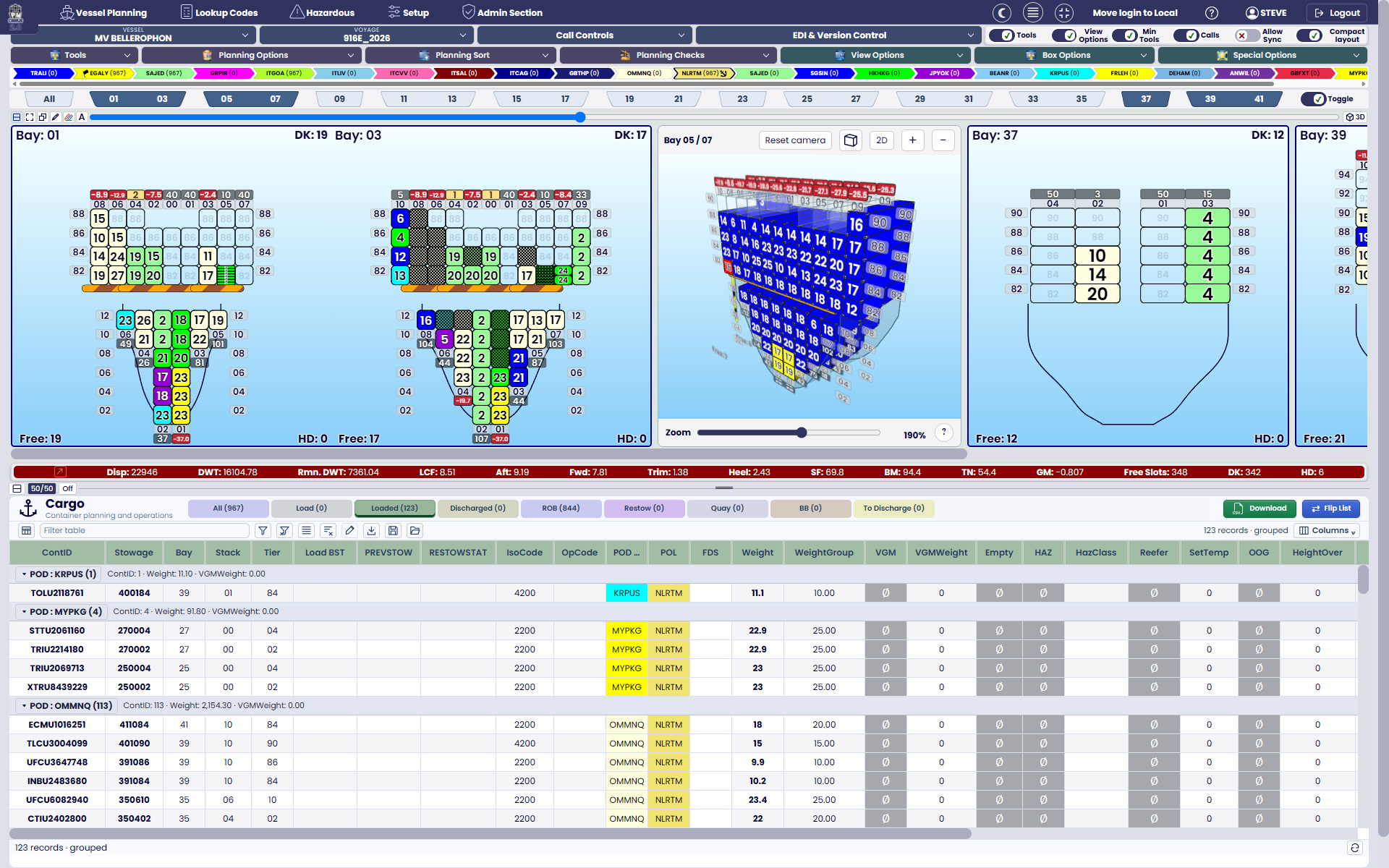
A WORKSPACE THAT WORKS YOUR WAY
Every container. Every perspective.
Move between 2D bays, 3D stowage and your cargo list. Inspect weights, free slots and special cargo, then save the views that suit the way you work.
A clearer view of vessel planning
From your first bay plan to the full vessel condition. Bring profiles, cargo, AI-assisted planning and spectacular 3D views together in PLANMASTER Cirrus 2.0.
In your browser. On your Windows desktop.
 integr8BY ARGONAUT SYSTEMS LTD
YOUR MARITIME MESSAGES. CONNECTED.
Translate and validate maritime EDI, customise partner mappings and connect files, APIs and business systems through configurable integration pipelines. Bring your planning messages into the wider operation.
Explore Integr801 / YOUR VESSEL. YOUR STARTING POINT.
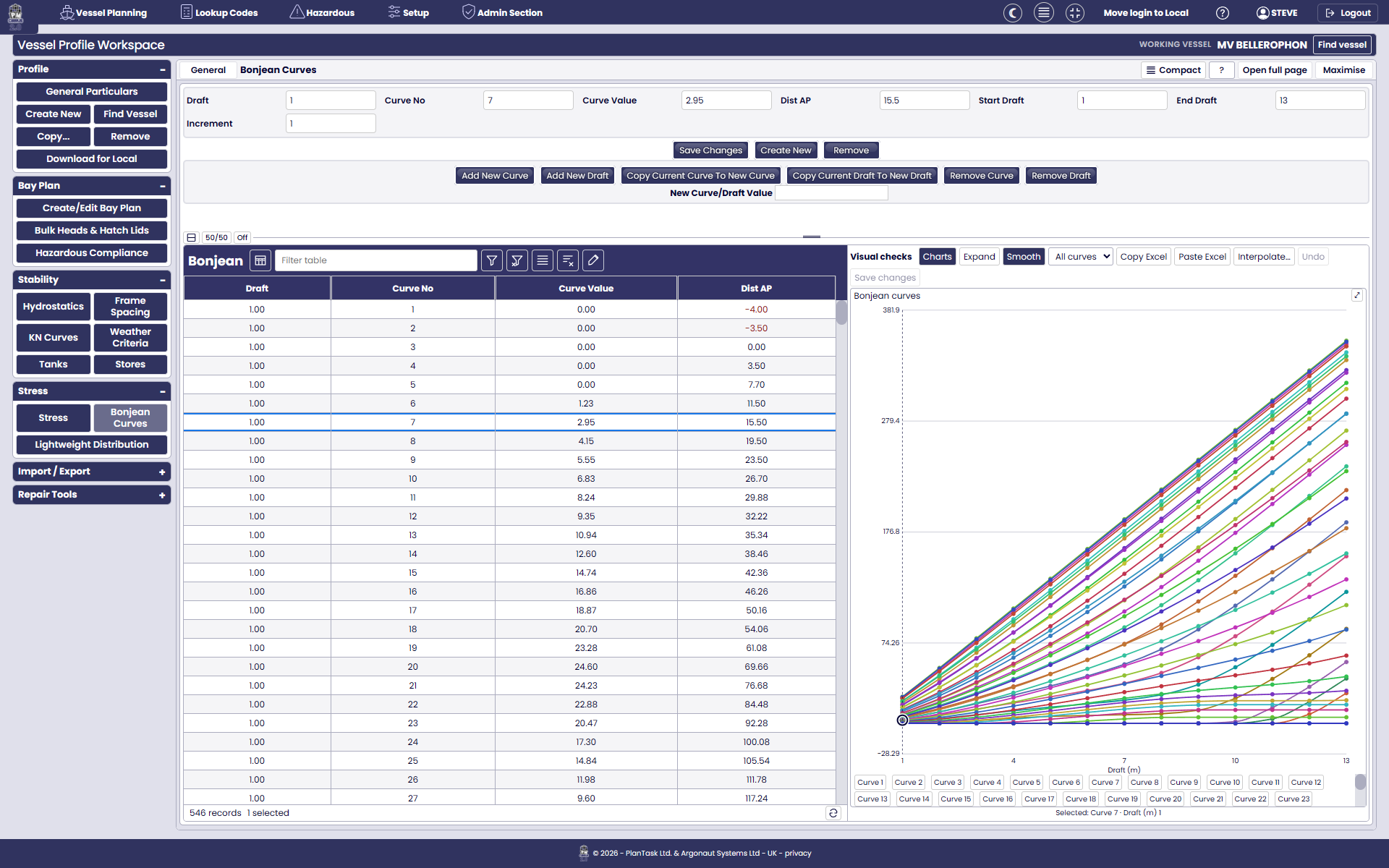
A straightforward profile workspace that grows with what you need. Start with bay planning, then add the vessel data for full stability and stress analysis.
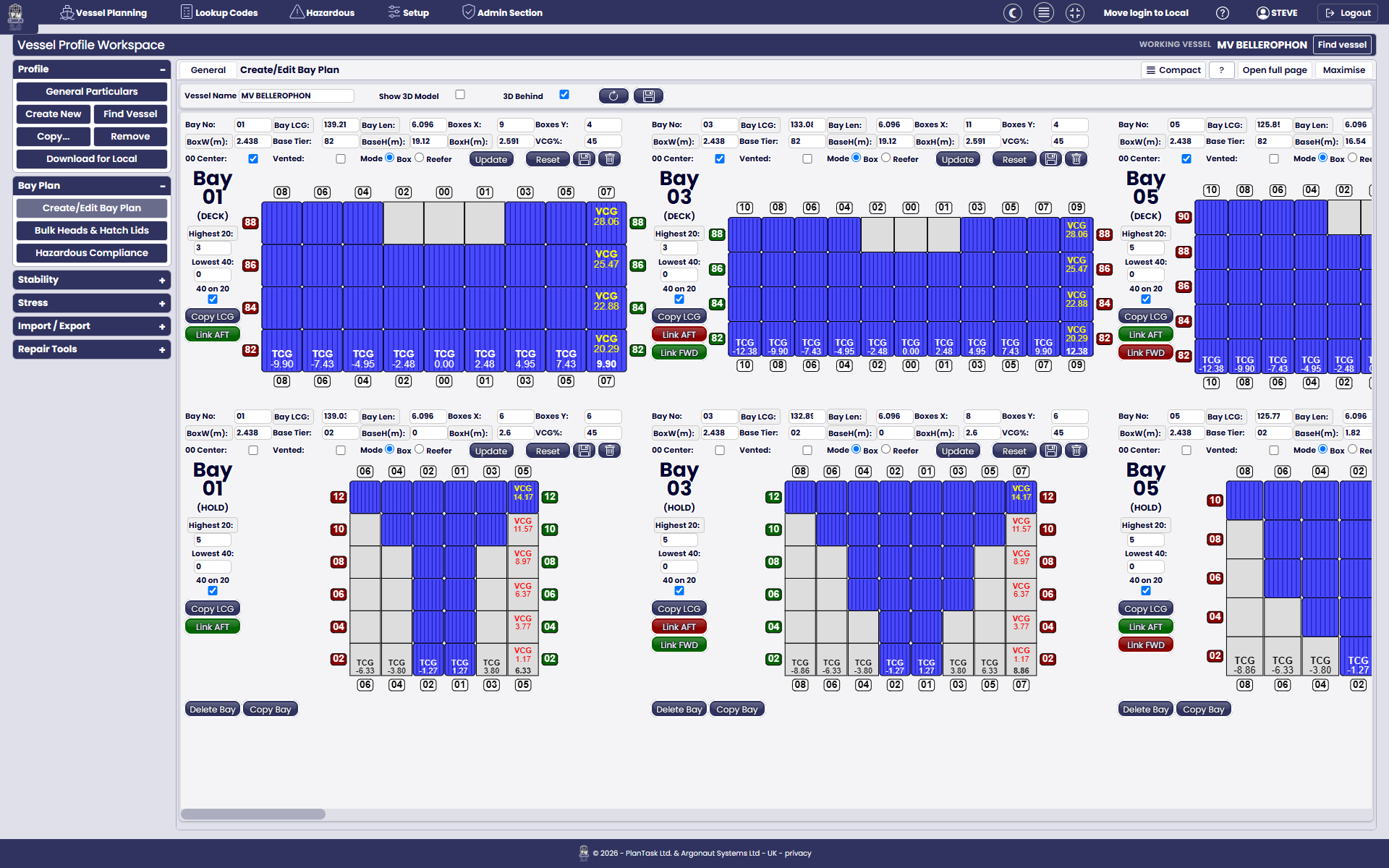
Build a profile from scratch, copy a sister vessel or reuse a PLANMASTER profile. Use BAPLIE to create a starting bay layout.
Define bays, stacks, tiers, linked positions, bulkheads and hatch lids in a visual workspace.
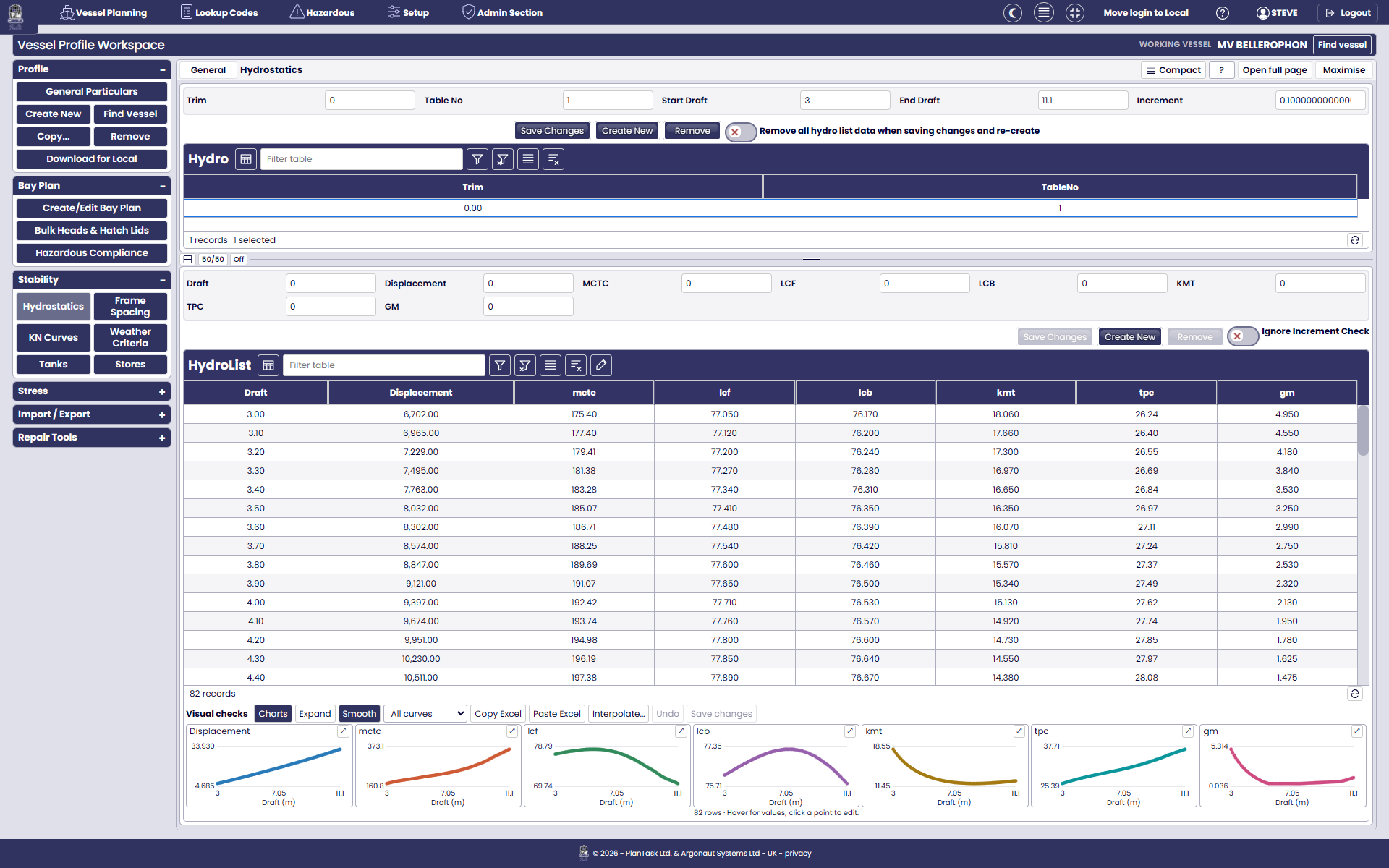
Bring in supplied hydrostatics, KN curves, tanks, Bonjean curves and stress data. Excel paste, interpolation and visual charts make data entry easier.
Bay planning, stability and stress can be configured around the modules your operation needs.
02 / MORE INTELLIGENCE IN EVERY PLAN
Work directly with the cargo, explore it in 3D, or use A.I.P. 4 to build a proposed stow. Keep your experience and priorities at the centre of the process.
A WORKSPACE THAT WORKS YOUR WAY
Move between 2D bays, 3D stowage and your cargo list. Inspect weights, free slots and special cargo, then save the views that suit the way you work.
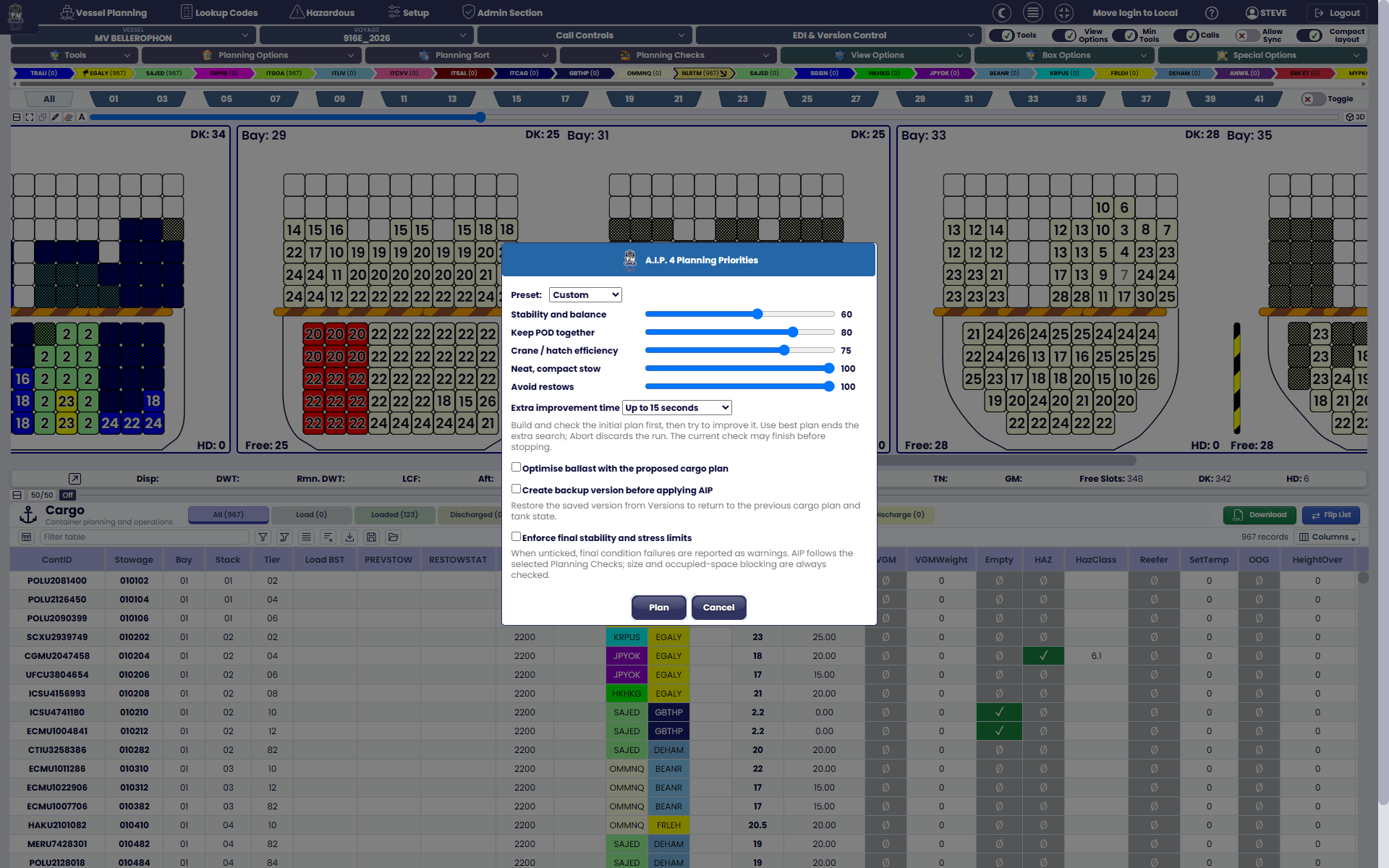
AI-ASSISTED PLANNING & BALLASTING
Balance stability, discharge-port grouping, crane efficiency and restows. Include ballast optimisation with the proposed cargo plan, review the result and retain a backup version before applying it.
03 / READY FOR REAL CARGO
Bring the files, cargo details and checks into one workflow. Spend less time moving information between tools and more time working with the plan.
NATIVE EDI SUPPORT
Work with industry interchange formats directly in planning. Bring in bay plans, movement instructions, cargo orders and dangerous-goods notifications without re-keying the whole picture.
Plus CSV and PML for cargo data and familiar PLANMASTER workflows.
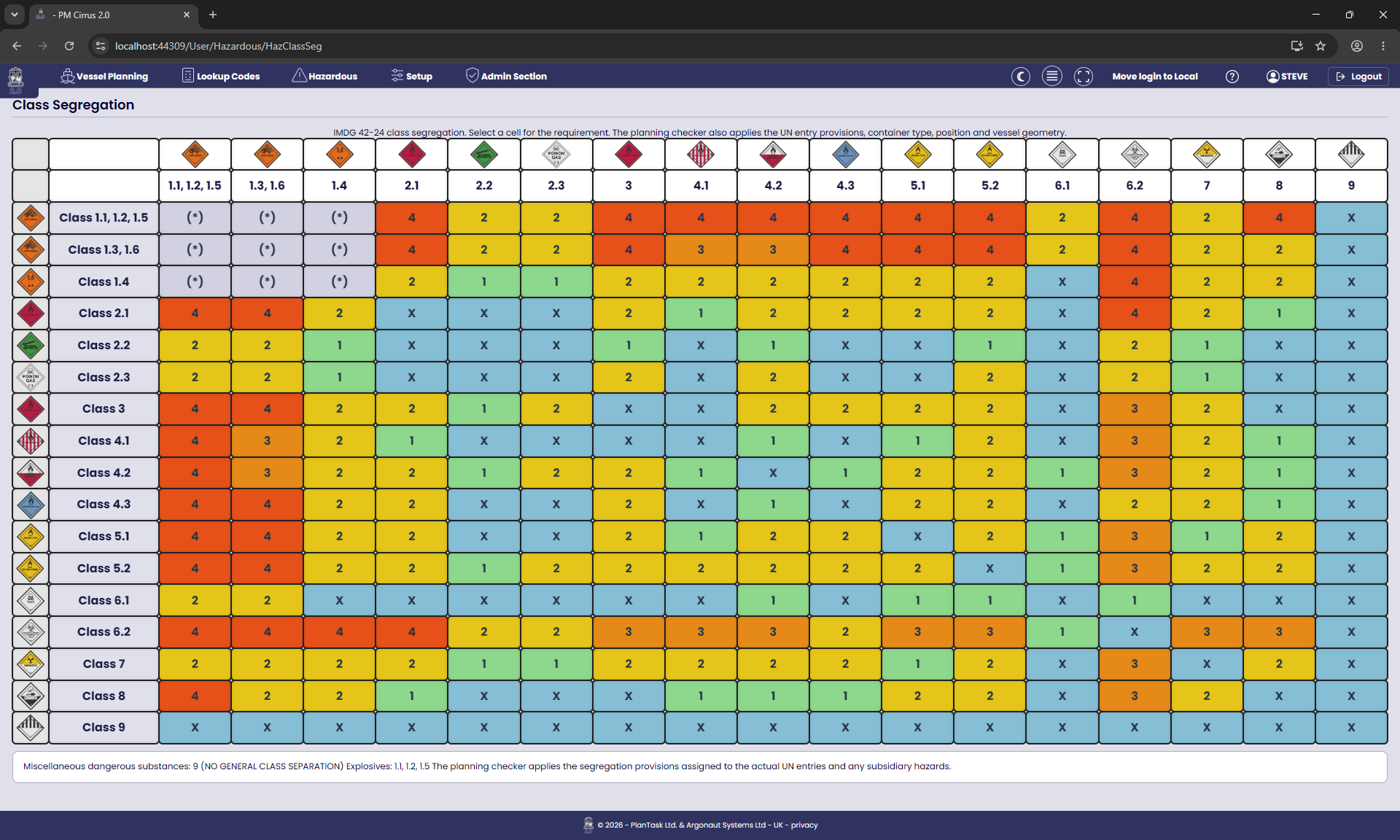
HAZARDOUS GOODS, IN CONTEXT
Review class segregation, UN-entry provisions and vessel-specific hazardous-goods restrictions. Keep dangerous-goods details, planning warnings and reporting connected to the cargo.
BUILT-IN VERSION CONTROL
Save named versions at planning milestones, inspect their cargo and restore a selected version as the working plan. Preserve the starting point before testing a different approach.
04 / SEE BEYOND THE STOW
Bring the vessel condition into view. Explore stability and stress results alongside advanced visuals that make the relationship between cargo and ship easier to see.
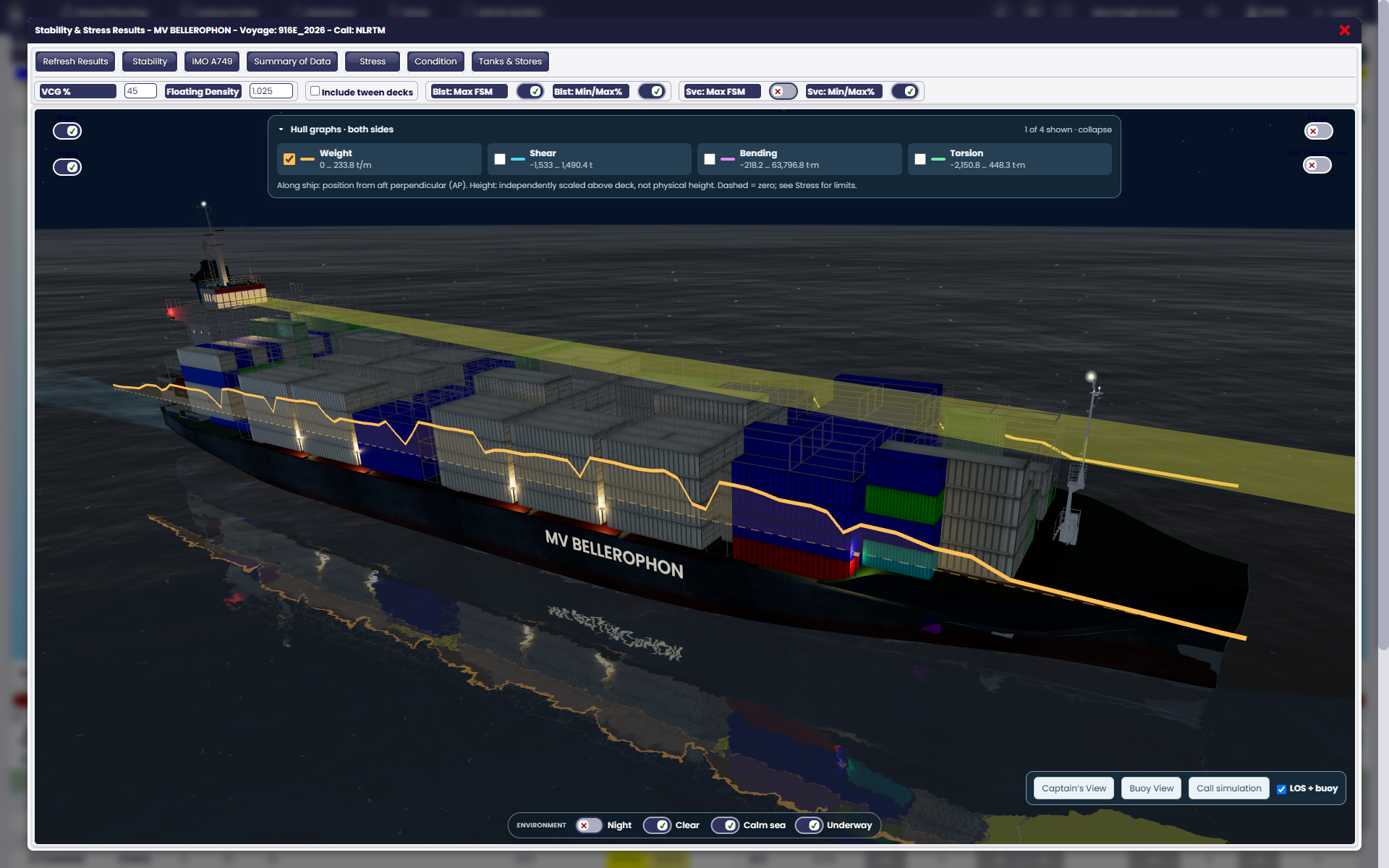
ADVANCED VESSEL VISUALS
Explore the hull with weight, shear, bending and torsion graphs. Switch viewpoints and environmental settings to see the vessel from a fresh perspective.
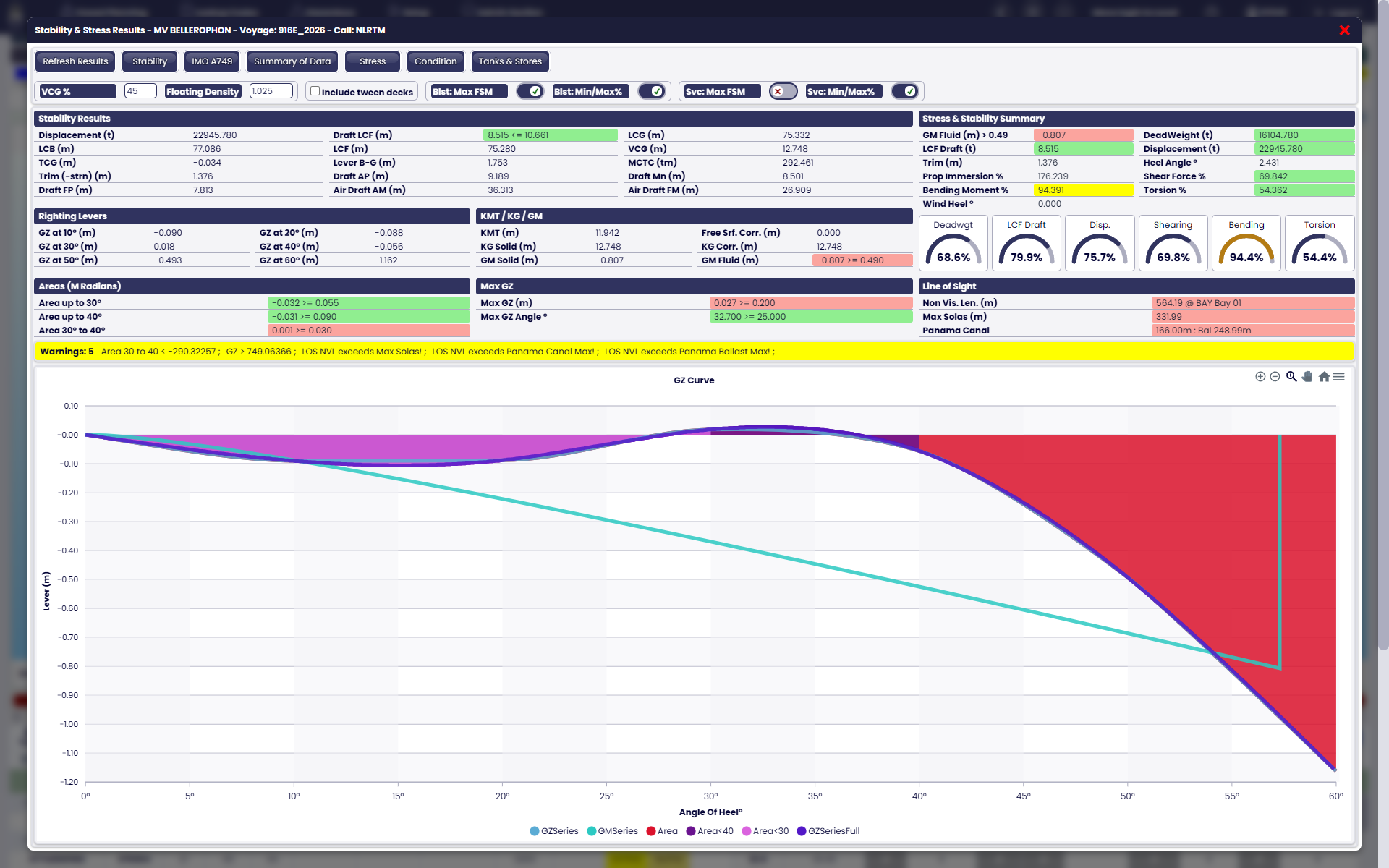
STABILITY & STRESS ANALYSIS
Review GZ curves, draft, trim, tanks and stress summaries in the planning environment, with limits and warnings visible alongside the results.
Representative product screens. Calculations depend on the vessel profile and enabled modules; illustrated conditions include warnings.
05 / FROM THE PLAN TO THE NEXT PORT
The work carries on beyond stowage. Connect crane moves, call rehearsal, voyage schedules and the reports your operation needs.
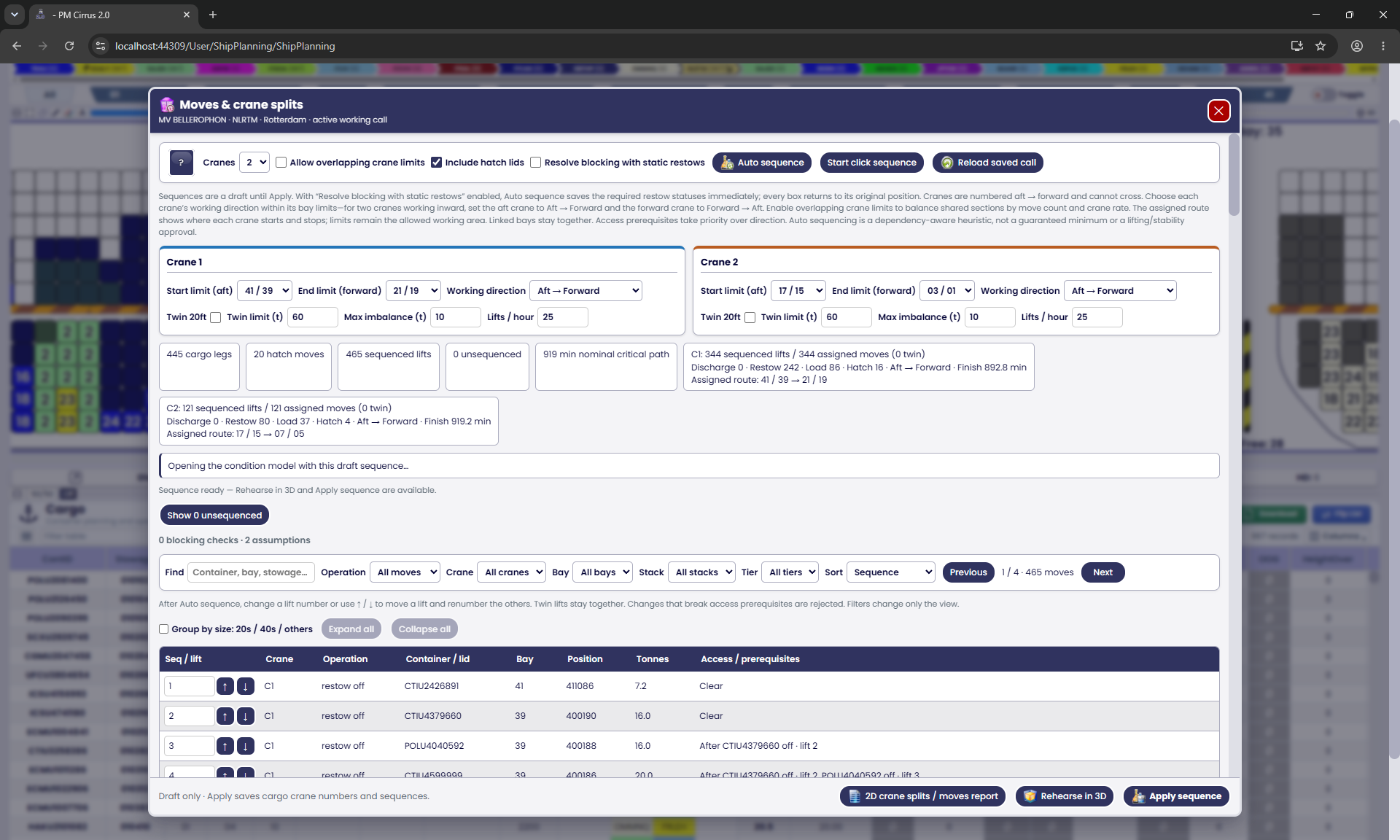
CRANE SPLITS & MOVES
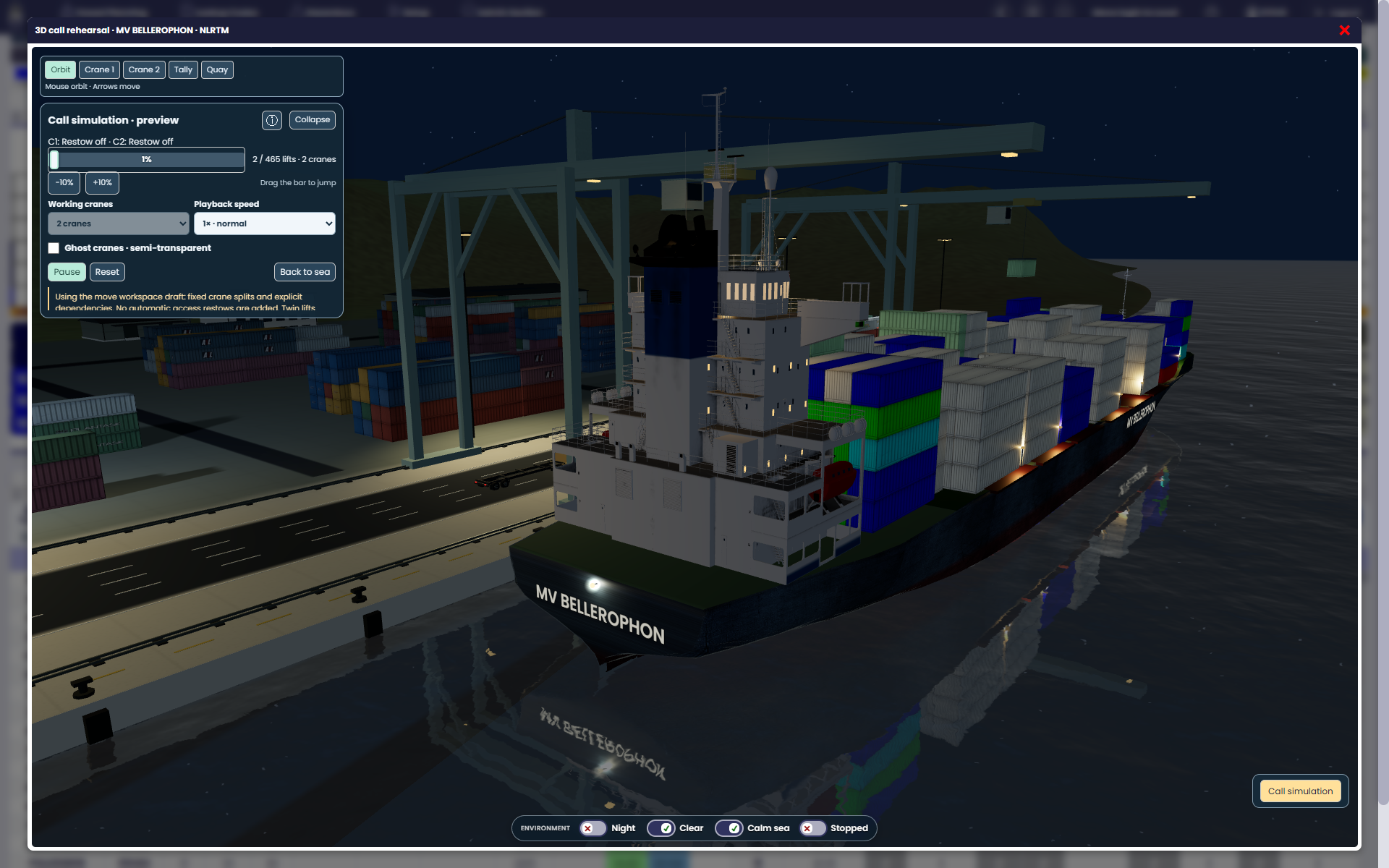
Assign crane work, review move dependencies and nominal timings, then explore the draft sequence in a 3D call rehearsal.
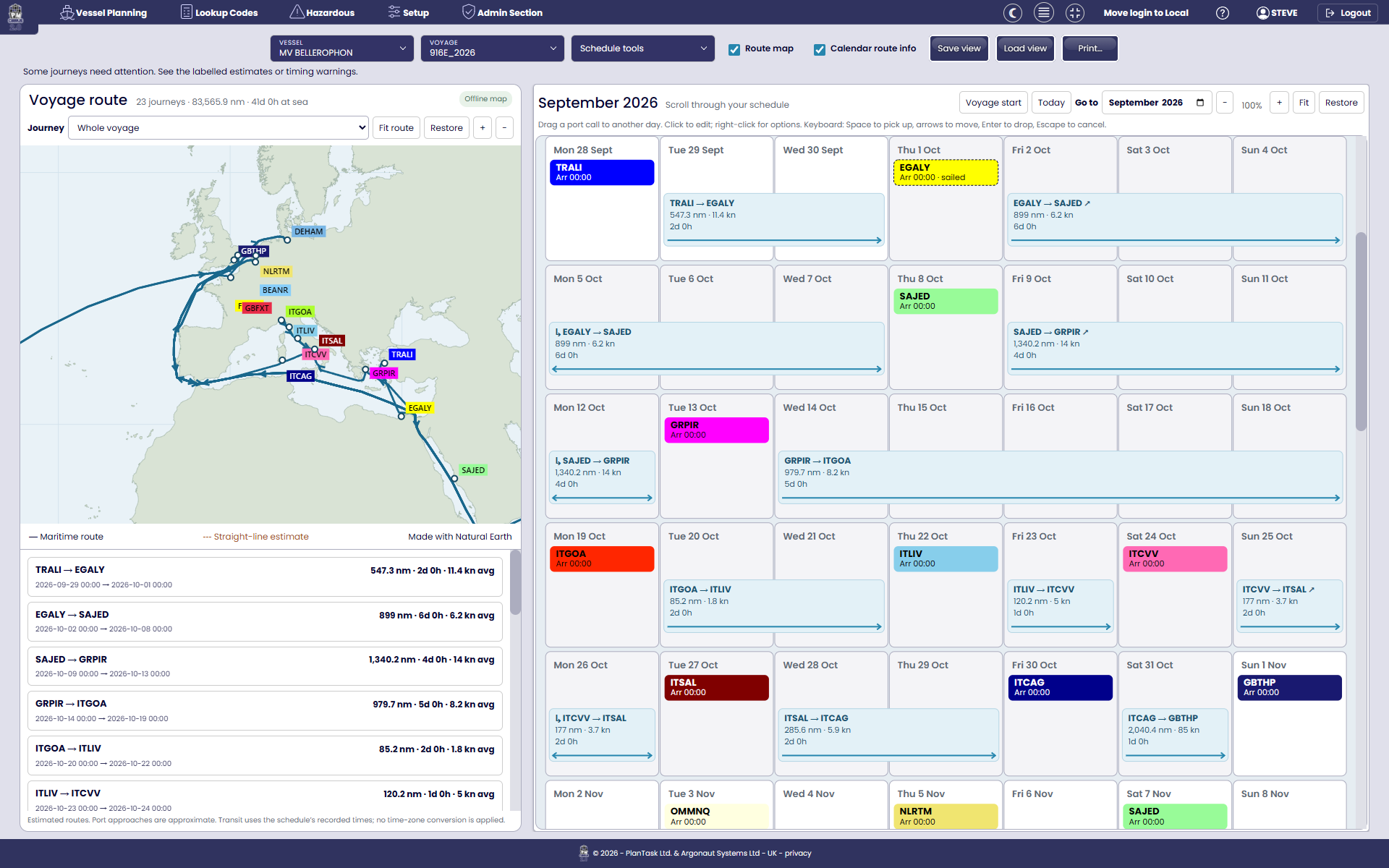
VOYAGES & SCHEDULES
Organise port calls with visual calendars, service rotations and route maps. Keep voyage timings and estimated distances in view.
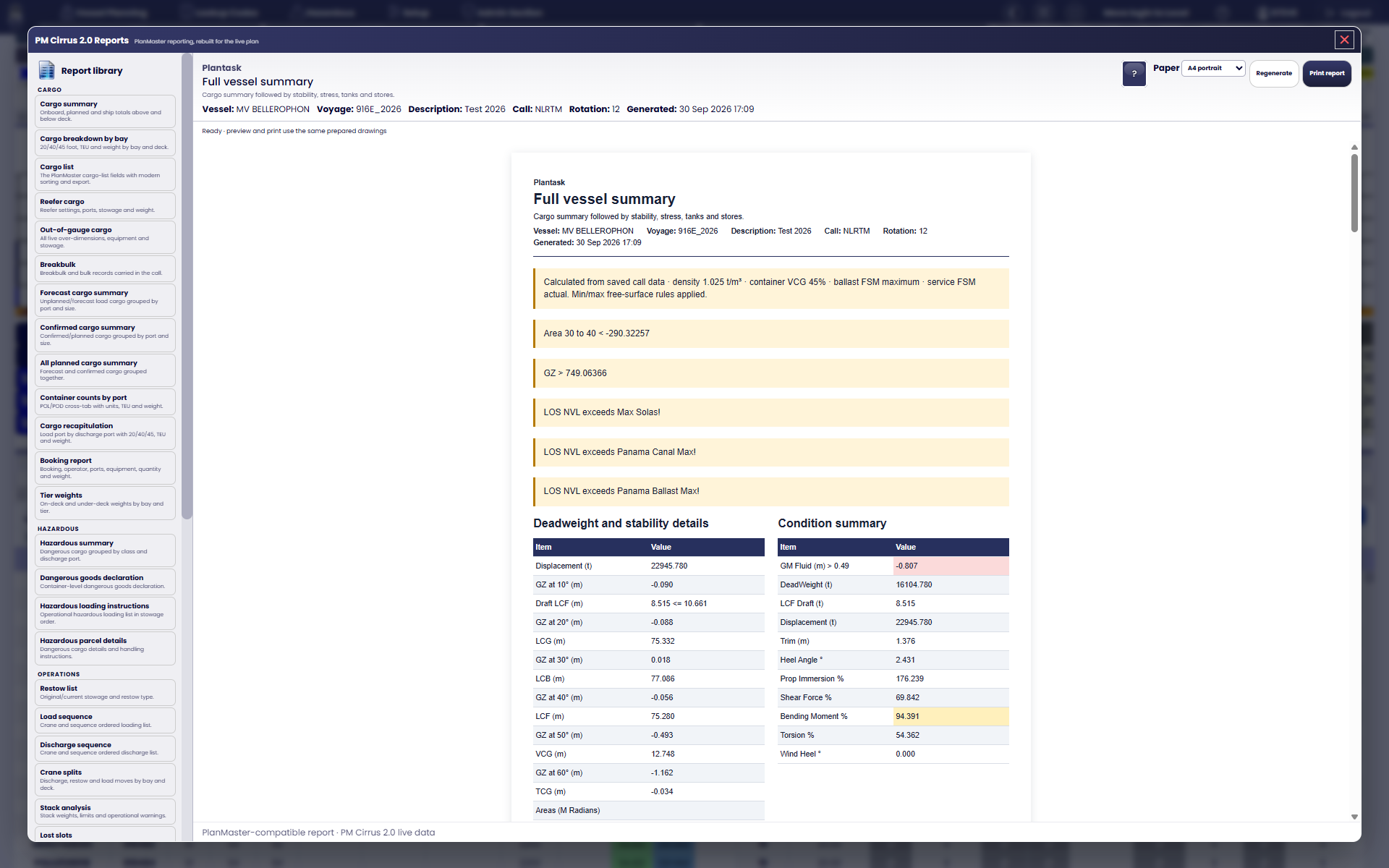
REPORTS & PRINTING
Produce bay plans, cargo summaries, dangerous-goods reports, crane work lists and vessel condition reports from your planning data.
BUILT AROUND YOUR WORKFLOW
Plan in your browser or use the Windows Local Edition. Choose the setup that fits your team’s working environment.
Reuse PLANMASTER profiles and formats, with BELLEROPHON connectivity. Bring existing vessel knowledge into a modern workspace.
From practical bay planning to stability, stress and advanced planning tools. Talk to us about modules, A.I.P. 4 access and a demonstration for your operation.
TAKE A CLOSER LOOK
See the features that matter to your operation in action. Get in touch for a demonstration, licensing and pricing.